Project brief
tripical is a travel itinerary planning product, flexible switching across devices, convenient and quick to find attractions, automatic route arrangement is a great boon for users
My main contributions
1.Research, journey map, ideation, low/hi-fi design, prototyping and user test
2. Lead the team to formulate design strategies and research directions
Problems
With so many travel itinerary planning tools on the market, is anyone really using them? how are we different
" Will people plan their trips on their computers? "
" What is the difference between us and other products? "
We want to know how people plan their trips, and then find opportunities
To compete with so many products, presumably there must be a difference
Our Goals
Now that we know the problem, we must of course set our product goals
1.Make users more fond of using online products to plan travel
Because of covid-19, transnational cooperation in different worlds has become an opportunity
2.Find out most of the opportunity pain points, which can make users feel easy to use
Use successful cases to stimulate users' trust and willingness to place orders
First, Understand the problem
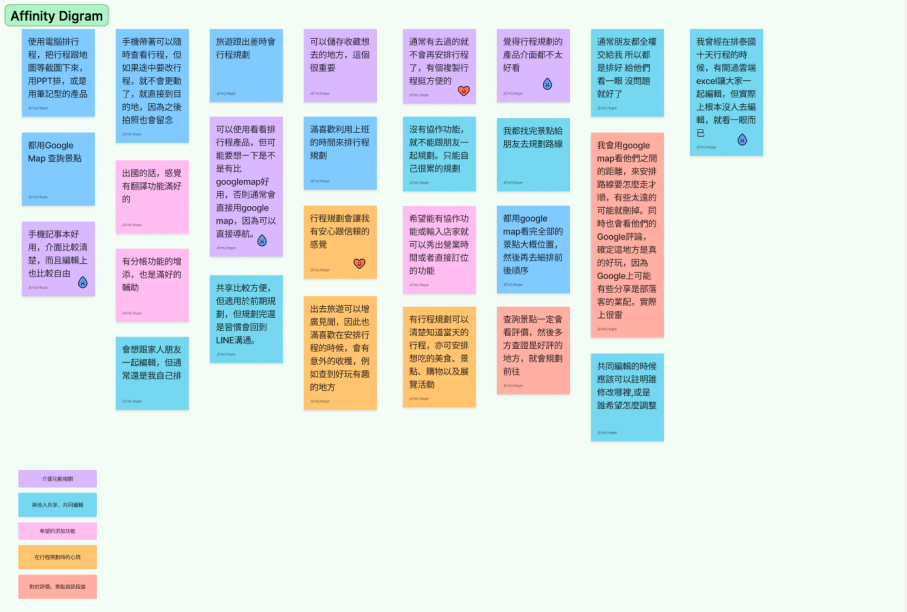
The results of interviews and research show that there are two types of extreme users who use itinerary plannings
1.Want to have a certain degree of control over the itinerary planning, as well as my own turbulence and sense of security or under the pressure of peers, carry the journey plan on one shoulder
2.Not very keen on planning and so on. I may have places I want to go, but generally I don’t know how to use itinerary planning. The reason also includes that the tools for itinerary planning are very complicated.
1.The interface is not easy to operate
Most of the respondents said that the planning products they have or have used before, the interface is too complicated, which makes it more difficult for them to use
2.After finding the itinerary, we need to arrange the route
Many respondents are keen to find attractions, but in the end it is the most painful thing to arrange all the routes
2.It is also difficult to make flexible adjustments on mobile phones
The information on the Internet is too complicated, making it too difficult to use on mobile phones
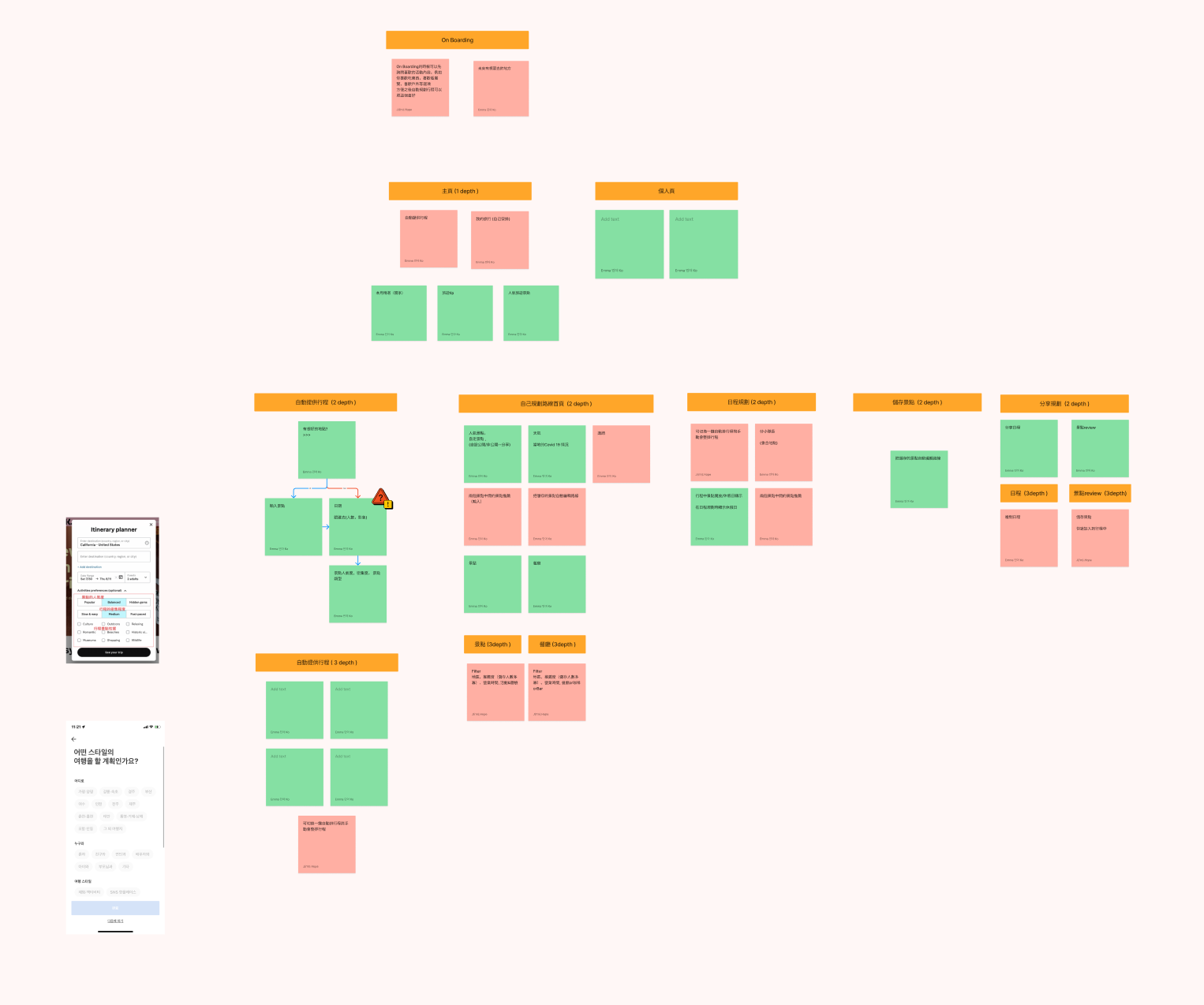
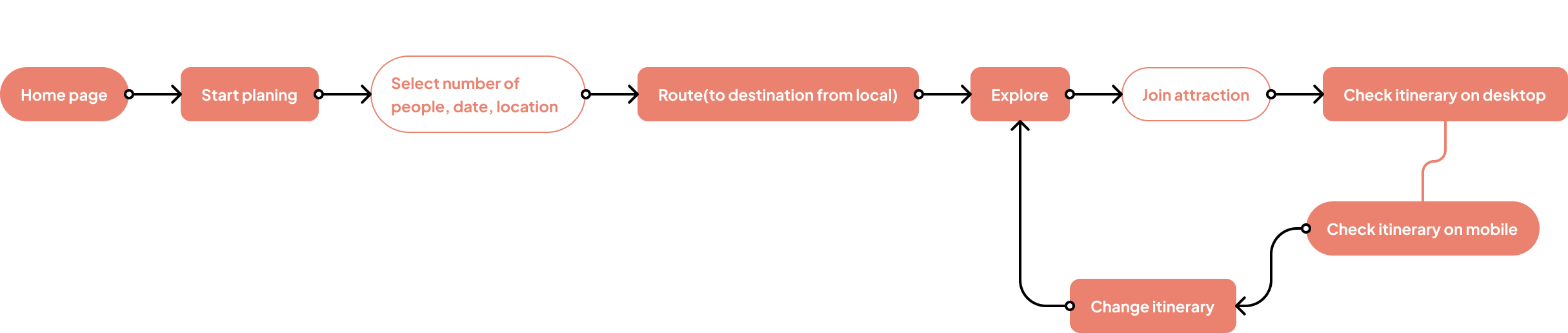
Map user journey and opportunities
1. Simplify unnecessary information
Most users still use maps to find attractions, so it is easy to get lost on a large map
Attractions are the priority information
The map is used as an auxiliary, and the scenic spot is the priority information level
2. Route automatic
The posting function is not fast
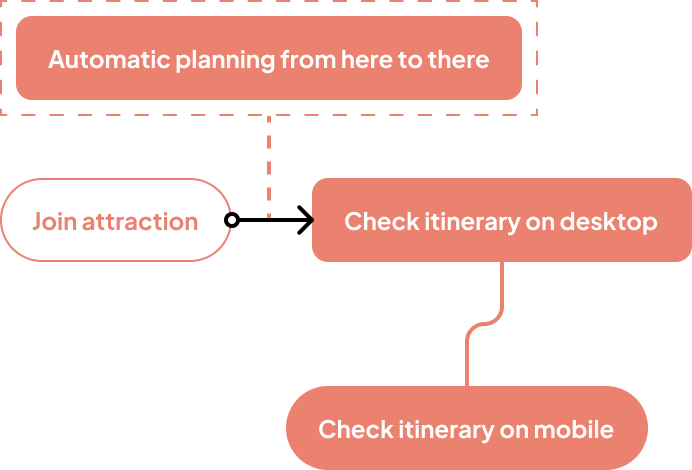
Automatically arrange routes after adding attractions
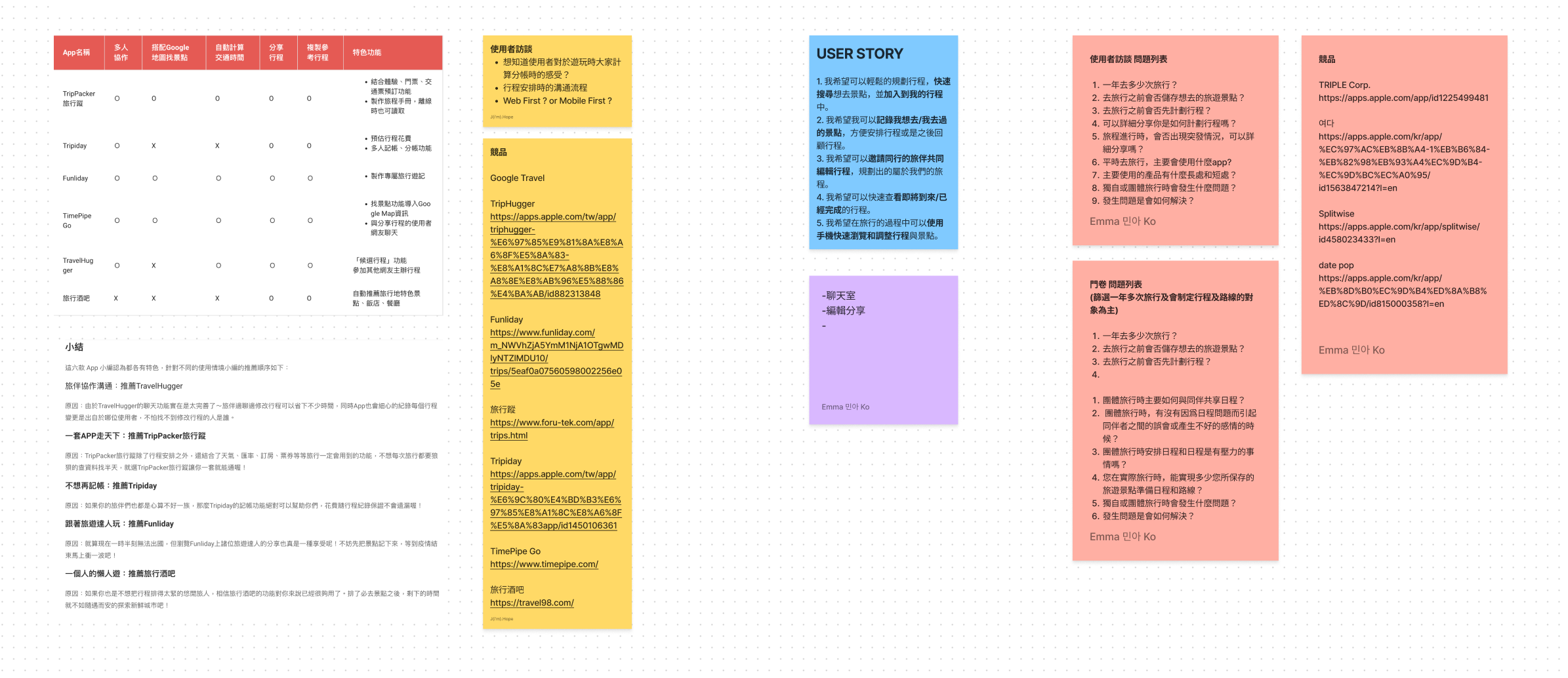
In the analysis of competitive products and user feedback, I found that users generally think that the publishing function is not fast enough, so I will design a quick publishing function for the publishing function, which can access historical viewing and quick version publishing pages based on tours.
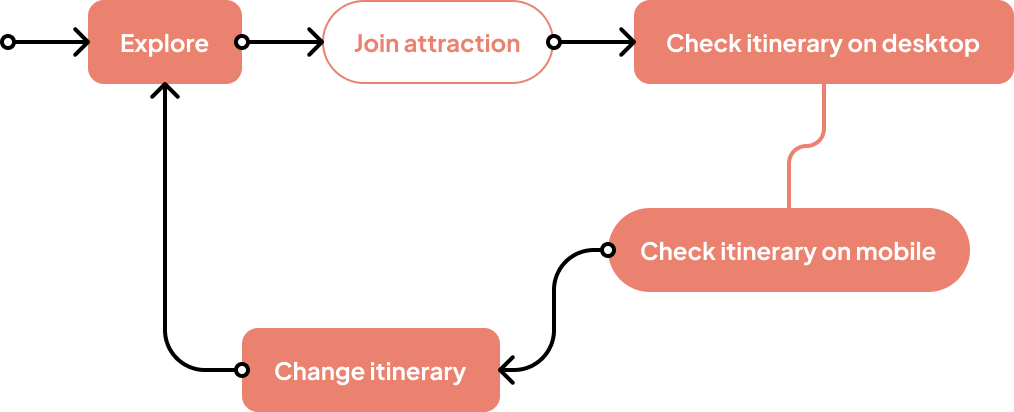
3. Adjust strokes at any time across devices
According to the interviewees, when arranging the itinerary of scenic spots, many pocket lists come from social platforms
Base your search engine on a popular website
Use the auction portfolio to show the achievements of other people and experts during the project, as well as the evaluation and feedback given after the project is completed, and also support discounts to achieve a good cycle of increased participation
Solution
1. Simplify the process
Simplifying the process is the first thing that must be done, and most users report that the existing products are too complicated
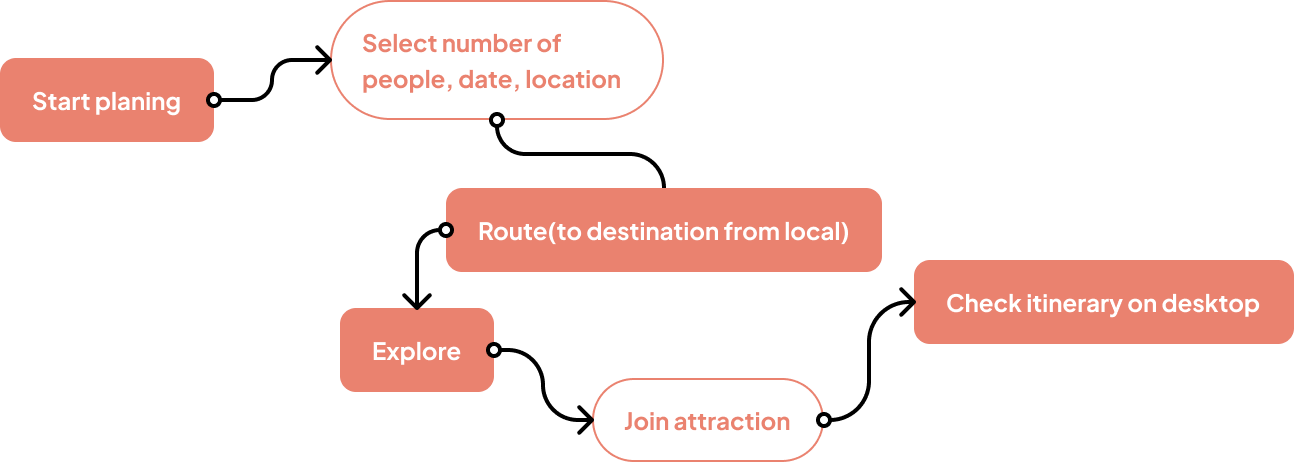
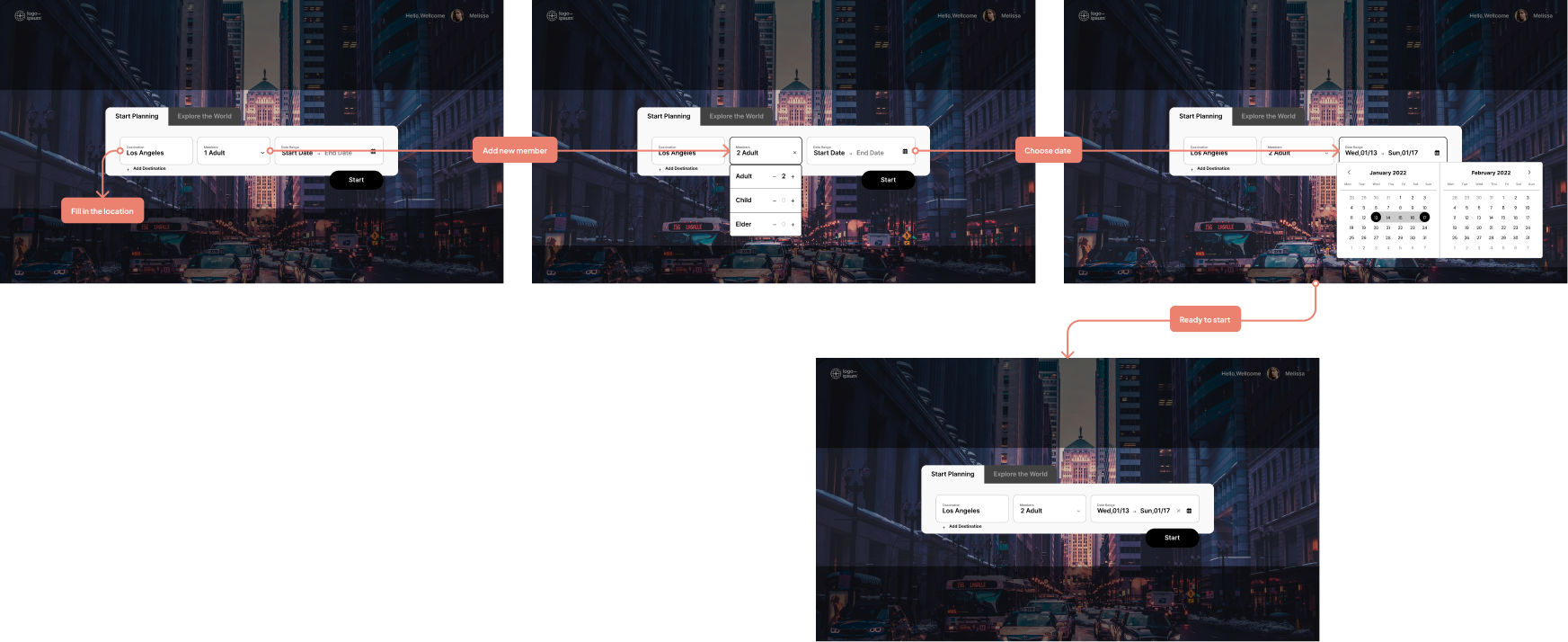
Enter the destination date and number of people to quickly formulate a travel itinerary
After filling in the information, you can start viewing attractions

1. Start your journey
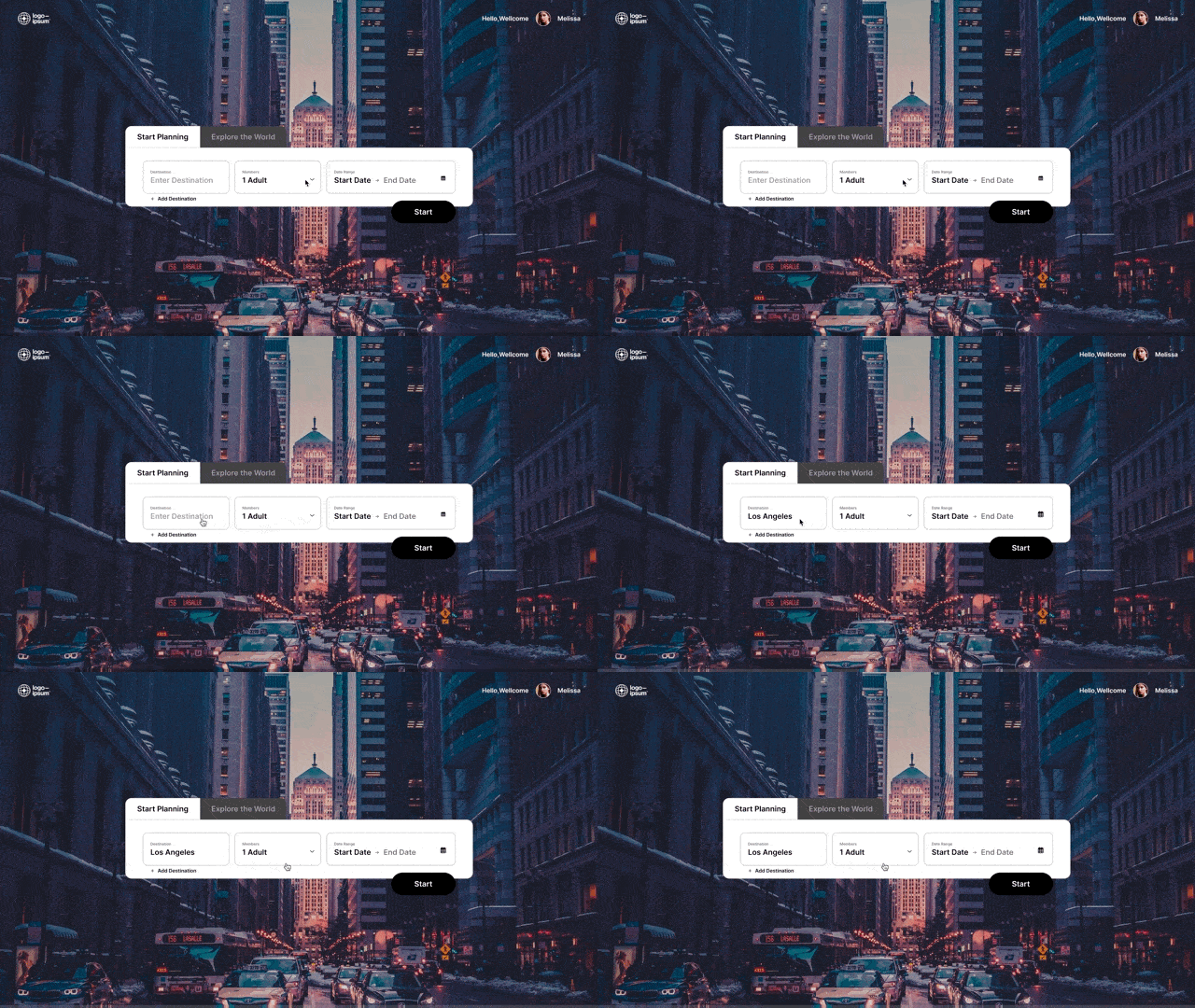
2. Enter where you want to go
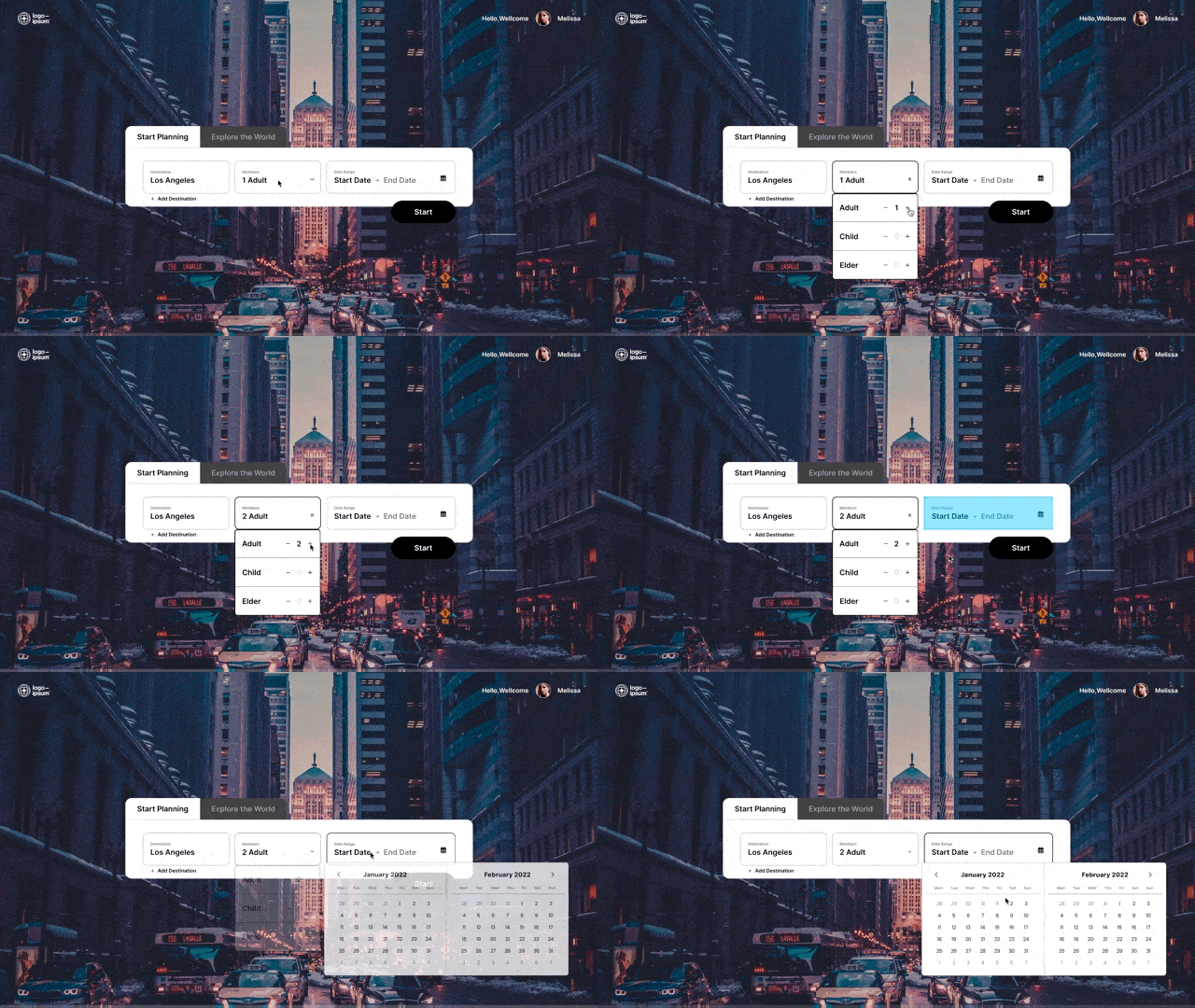
3. Choose date and number of people
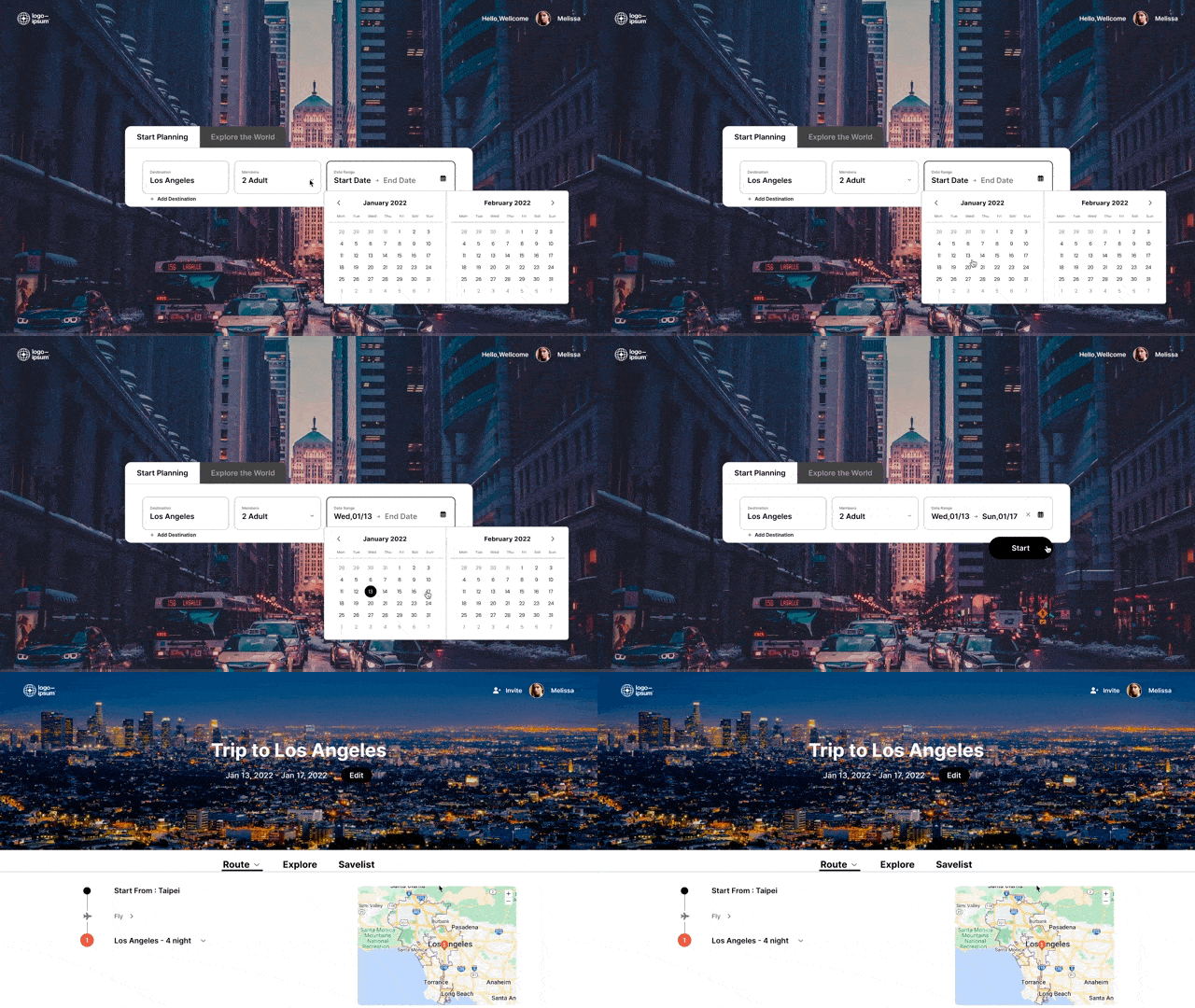
4. Let's go
Prototypes
2.Search attractions
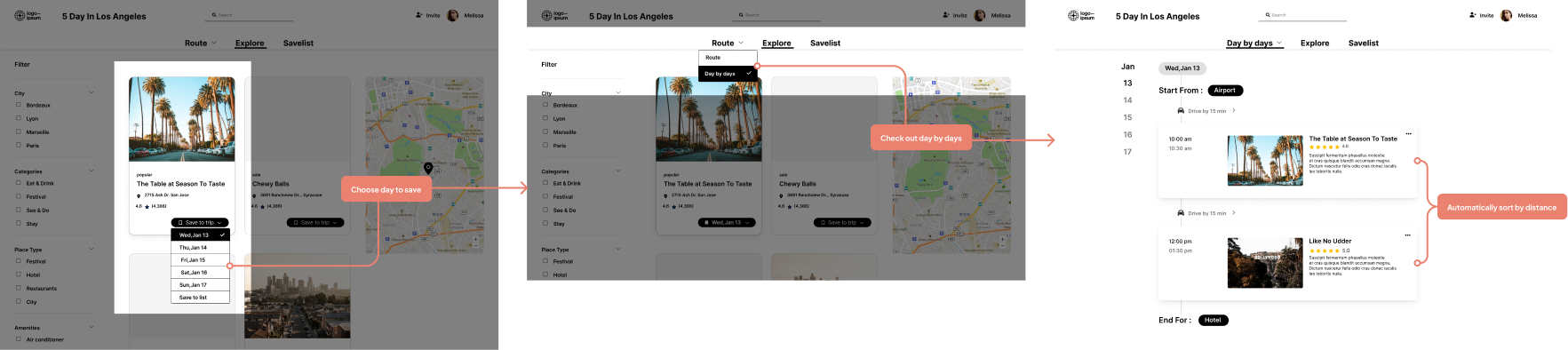
To collect attractions, we provide various types of attractions, which can be saved first or directly added to the date you want to go
Prototypes
Add attractions and automatically arrange the route
Select the attractions you want to go, add the date you want to go, and the route will be automatically planned according to the attractions up and down
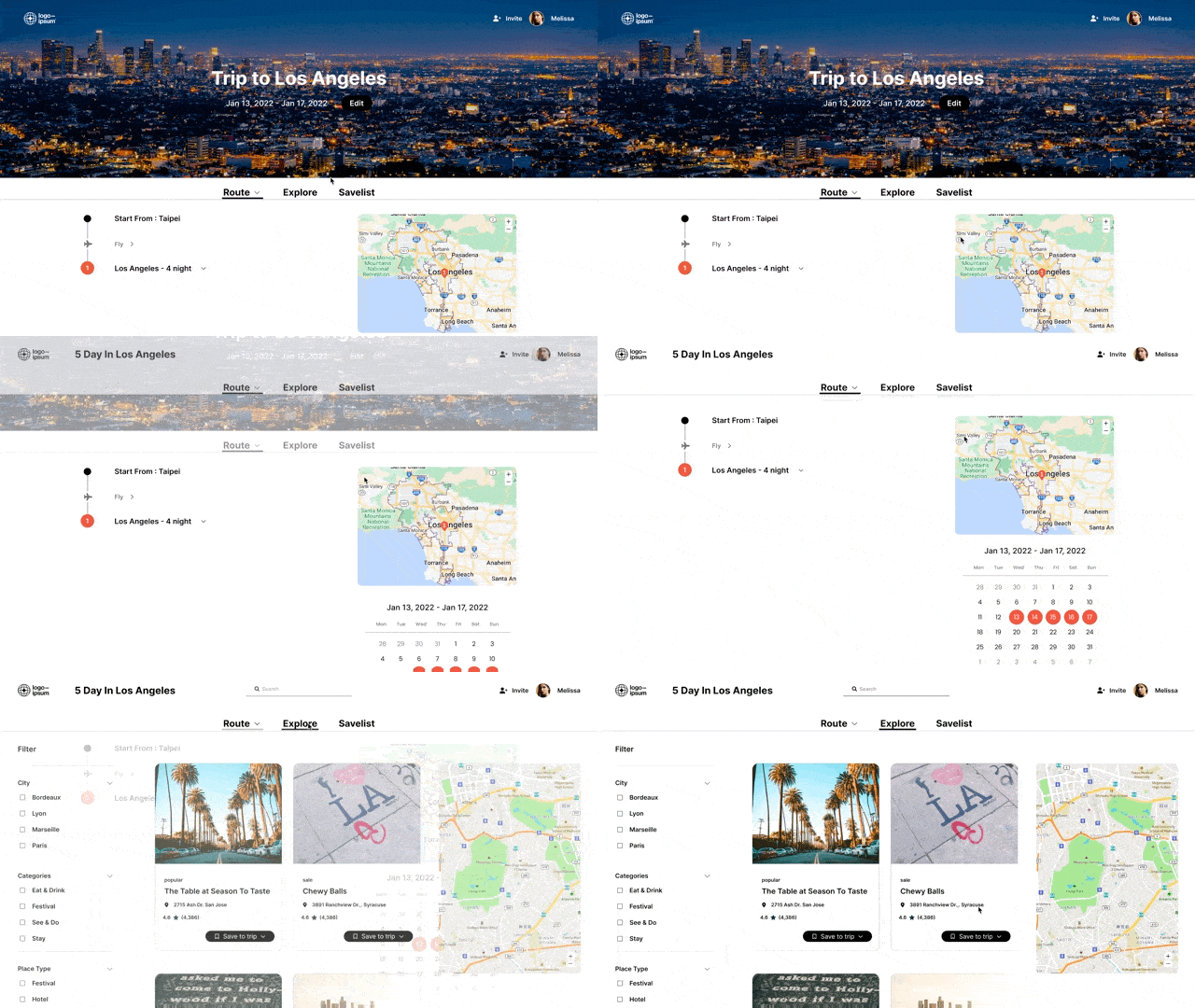
1. Route page
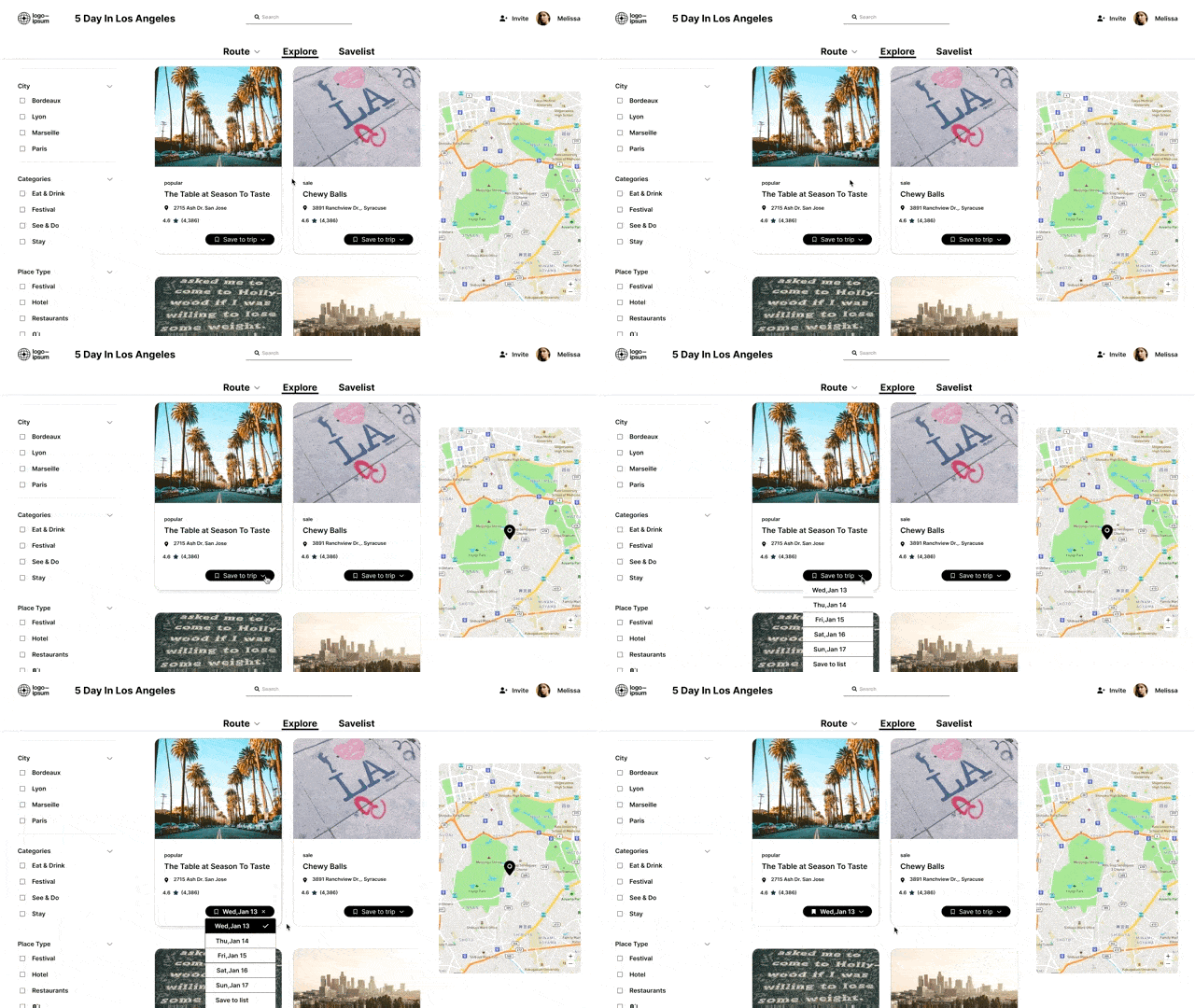
2. Add attractions
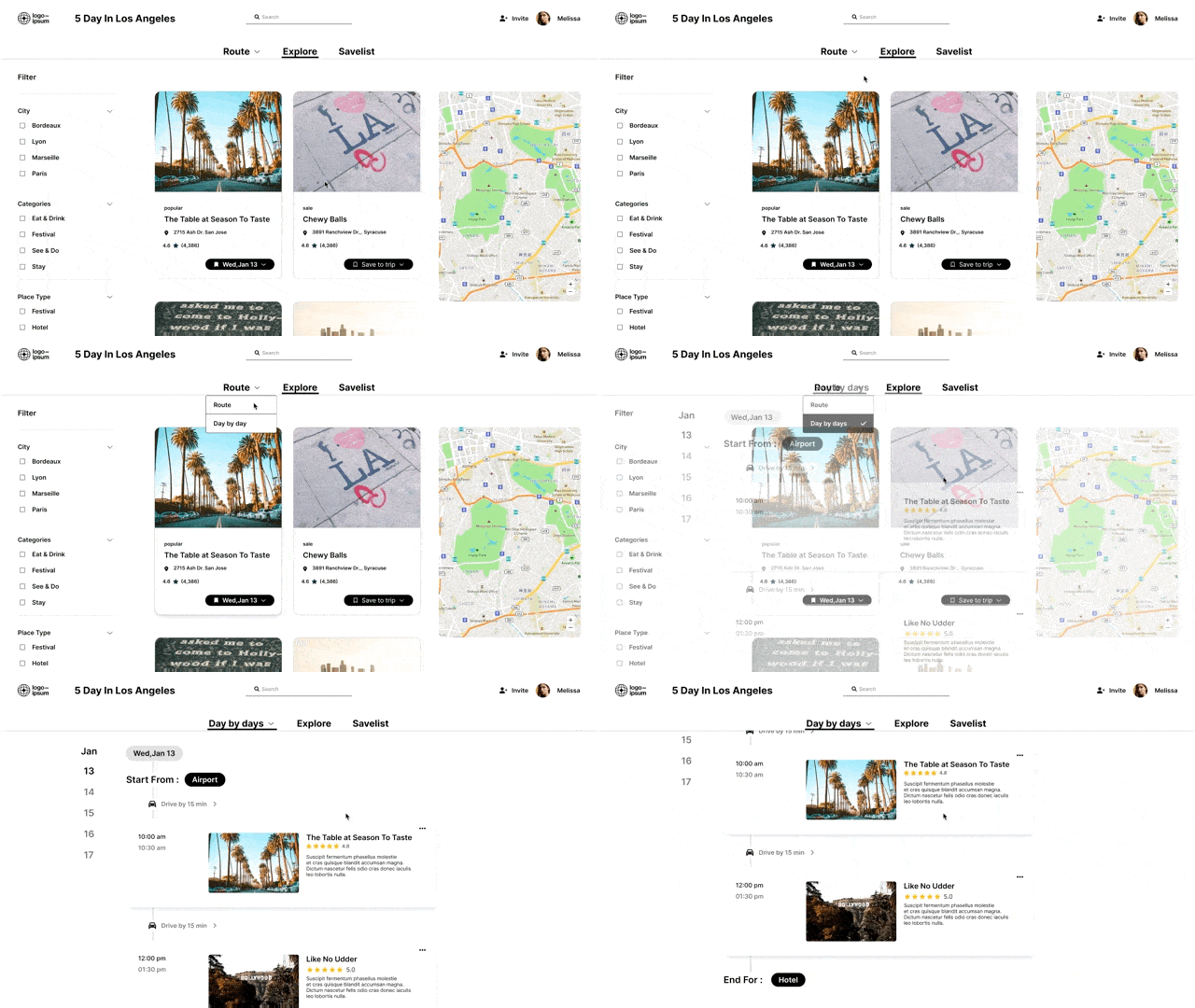
3. Automatic planning
3. Elasticity Across Devices
Desktop online planning, mobile phone offline adjustment and viewing
Prototypes
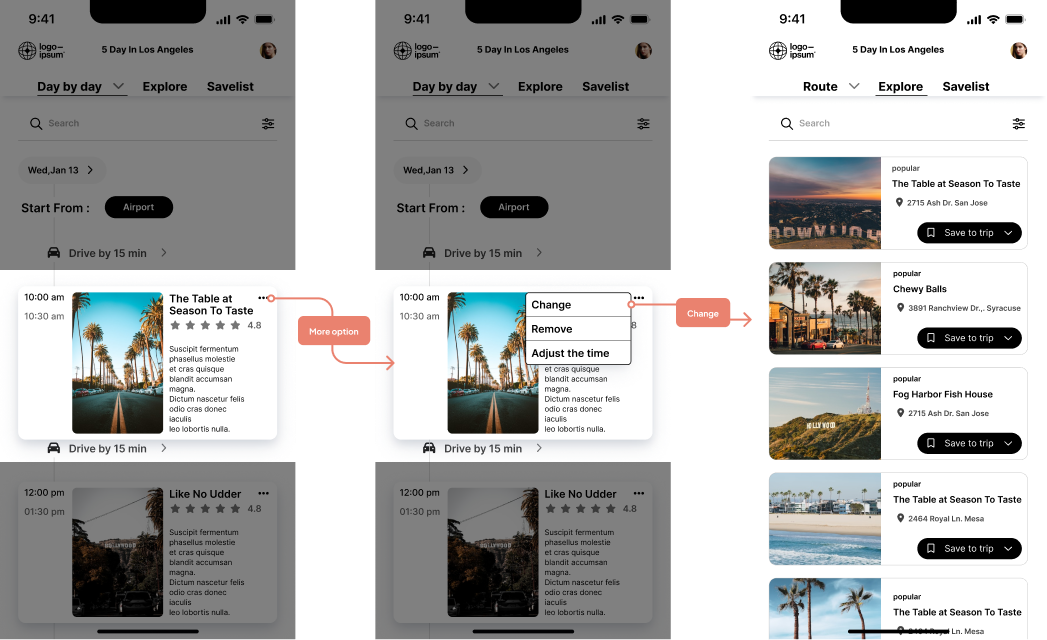
Quick change of attractions
Most afraid of changing the scenic spot in some situations, and I will change it immediately after opening the product
1. Click on the attraction you want to change
2. Immediately show nearby attractions
3. Select the attraction to be replaced for replacement
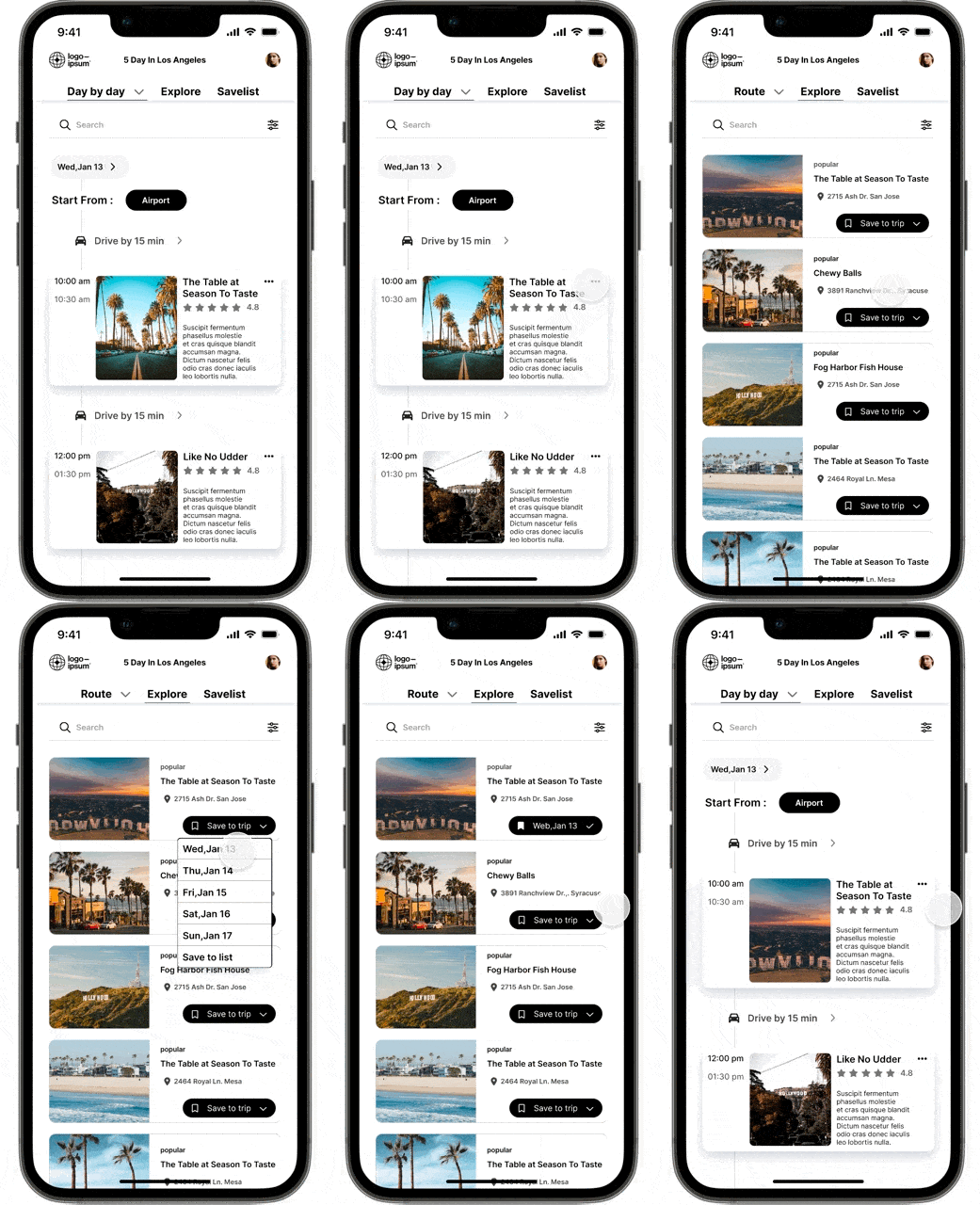
Replace attractions
Result
Users expressed that they felt the charm of automatic itinerary planning during the test
Simple interface
Feel the convenience of itinerary planning
Automatic route planning
This is the most popular feature in the test, because it meets the pain points of users
Easy conversion
It can also be easily controlled when changing locations in various situations during travel